NotebookLM Is Becoming More Useful Than Chatbots for Research
AI chatbots are excellent at answering questions. But when the goal is serious research, answering a question is only the beginning. That is where NotebookLM for Research has started to become particularly interesting. Google’s research-focused AI tool has evolved significantly, and in 2026 it is no longer just a place to upload PDFs and ask questions.
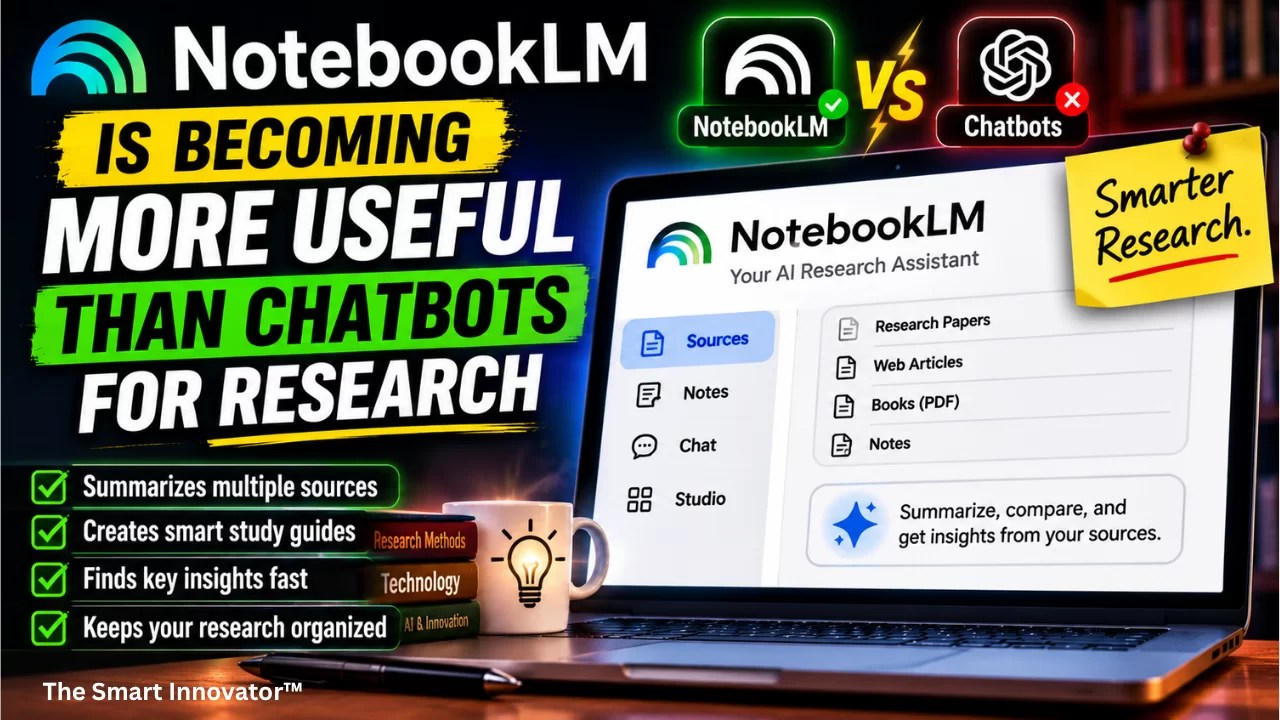
Google has upgraded NotebookLM with advanced reasoning, web research, source discovery, code execution and the ability to create reports, charts, spreadsheets and presentations. In July 2026, Google also renamed the product Gemini Notebook, while keeping it as a standalone research-focused experience.
The result is a tool that can be more useful than a general-purpose chatbot when you need to understand a specific collection of information and keep the research grounded in sources.
Why NotebookLM Is Different From a Regular Chatbot
A typical AI chatbot starts with the model’s broad knowledge and may use web search or connected tools depending on the product.
NotebookLM takes a different approach.
You create a notebook around a specific subject and give it sources such as:
- PDFs
- Web pages
- YouTube videos
- Google Docs
- Google Sheets
- Microsoft Word files
- Images
- Google Drive files
The AI can then answer questions using the material inside that research workspace. Google says NotebookLM provides citations with its answers, allowing users to check where information came from.
Deep Research Changes the Game
One of NotebookLM’s biggest developments is Deep Research.
Instead of manually searching for dozens of articles, users can ask NotebookLM to investigate a subject. Its research agent can create a research plan, browse hundreds of websites, refine the search and produce a structured report.
More importantly, the resulting report and sources can be added directly to the notebook.
That creates a workflow that looks more like a digital research assistant than a chatbot:
- Define the research question.
- Find relevant sources.
- Import the sources.
- Ask questions about them.
- Compare information.
- Generate a structured report.
- Verify important claims against the original sources.
Google introduced Deep Research in 2025, and the company has continued expanding NotebookLM’s research capabilities since then.
NotebookLM Can Now Do More With Your Data
The 2026 upgrade is particularly important for researchers working with numbers and structured information.
Google added a secure cloud computer to notebooks, allowing NotebookLM to write and run code for deeper analysis. It can also create outputs such as charts, spreadsheets, PDFs, documents and structured data.
That means a research project can potentially move from:
Sources → analysis → calculations → visualization → final report
without requiring users to move between several different AI tools.
It Can Turn Long Research Into Something Easier to Understand
This is where NotebookLM’s original idea remains powerful.
Suppose you have a 200-page industry report, several academic papers and a collection of interviews.
Instead of reading everything sequentially, you can ask questions such as:
- What are the main conclusions?
- Where do these reports disagree?
- Which claims are supported by multiple sources?
- What changed between the 2024 and 2026 reports?
- What evidence supports this conclusion?
The ability to ask questions against a defined collection of sources makes NotebookLM particularly useful for research-heavy projects.
Audio and Video Overviews Are Still Useful
NotebookLM’s Audio and Video Overview features remain some of its most distinctive capabilities.
Instead of simply reading a long document, users can generate an AI-produced discussion or visual overview based on their sources.
Google has expanded Video Overviews to 80 languages and made Audio Overviews more comprehensive.
This is especially useful when you want to understand a research topic while commuting, exercising or reviewing material away from your computer.
Source Citations Are One of Its Biggest Advantages
AI-generated answers are only useful for serious research if you can verify them.
NotebookLM’s source-grounded approach makes verification easier because answers can point back to the material used to generate them.
Google itself warns that NotebookLM can still produce inaccuracies, so citations should not be treated as proof that every AI-generated statement is correct. :contentReference[oaicite:5]{index=5}
The important difference is that NotebookLM makes checking the underlying evidence part of the workflow.
NotebookLM vs Chatbots: Which Is Better?
| Task | NotebookLM | General AI Chatbot |
|---|---|---|
| General questions | Good | Excellent |
| Research from your documents | Excellent | Good |
| Source-grounded answers | Excellent | Depends on tool |
| Long document analysis | Excellent | Good |
| Web research | Very good | Excellent |
| Audio research summaries | Excellent | Varies |
| Creative writing | Good | Excellent |
| Open-ended conversation | Good | Excellent |
The takeaway is not that NotebookLM is replacing every chatbot. It is that the two categories are becoming increasingly different.
Who Should Use NotebookLM?
NotebookLM can be particularly useful for:
- Students: research papers, textbooks and study material.
- Journalists: interviews, reports and background research.
- Researchers: academic papers and datasets.
- Business professionals: market reports and company documents.
- Content creators: building articles from verified source material.
- Developers: technical documentation and project references.
- Analysts: comparing reports and extracting trends.
Where Chatbots Still Have the Advantage
NotebookLM is not automatically better for every task.
A general-purpose chatbot remains more convenient when you want:
- Brainstorming
- Creative writing
- Casual conversations
- Programming help without a fixed source collection
- General explanations
- Quick everyday questions
In other words, NotebookLM is strongest when the sources are the center of the task.
The Bigger Google AI Strategy
NotebookLM’s evolution also reveals something important about Google’s broader AI strategy.
Google is not only competing with standalone chatbots. It is building specialized AI experiences for different types of work.
Gemini can act as a general-purpose assistant, while NotebookLM is increasingly positioned around research, learning and knowledge management.
The July 2026 transition to Gemini Notebook also suggests that Google wants these experiences to become more connected to the wider Gemini ecosystem while preserving their research-focused identity.
How to Get Better Results From NotebookLM
If you want to use NotebookLM for serious research, don’t simply upload one document and ask, “Summarize this.”
A better workflow is:
- Collect multiple high-quality sources.
- Separate primary sources from commentary.
- Ask comparative questions.
- Request citations for important claims.
- Ask the AI to identify disagreements.
- Verify important information against original documents.
- Use generated reports and charts as working material, not unquestionable facts.
This approach makes NotebookLM much more valuable than using it simply as an AI summarizer.
FAQs (People Also Ask)
It depends on the research. NotebookLM has a major advantage when your work is based on a defined collection of documents and sources. General-purpose chatbots are often more flexible for open-ended research, brainstorming and writing.
Google announced in July 2026 that NotebookLM is being renamed Gemini Notebook. It remains a standalone research-focused product, with deeper connections to Google’s Gemini ecosystem.
Yes. NotebookLM’s Deep Research can search the web and assemble relevant sources into a research project. Google also previously introduced Discover Sources for finding and importing relevant web material.
Yes. Google added Google Sheets support and, in its 2026 upgrade, expanded NotebookLM’s ability to analyze data and create charts and spreadsheets using code execution.
No. Like other generative AI systems, NotebookLM can make mistakes. Its source citations make verification easier, but important claims should still be checked against the original sources.
Final Verdict
NotebookLM is becoming more interesting precisely because it isn’t trying to be just another chatbot.
Its evolution from an AI note-taking experiment into a research workspace—with Deep Research, source discovery, citations, advanced reasoning, code execution and customizable outputs—makes it increasingly useful for people who work with large amounts of information.
For a quick question, a traditional chatbot may still be faster. But when the task is understanding, comparing, analyzing and building something from a collection of sources, NotebookLM can be the more useful AI tool.
And with Google now connecting NotebookLM more closely with Gemini, its next phase could be even more interesting: an AI research environment that doesn’t just answer questions, but helps build the entire research project from sources to analysis to final output.
Follow The Smart Innovator™ for more such cover stories. Subscribe to our Newsletters for tech world updates. Interested in Hindi Technical contents? Follow दी स्मार्ट इनोवेटर


0 Comments